Software Development

What Software Development Covers

Software development for a hardware product covers the code that runs off the device: the mobile app people use to control it, the cloud backend and web dashboard that collect its data, and the test software that checks each unit on the production line. At PDE that software is built in the same team as the electronics and firmware, so the protocol between the device and everything that talks to it is designed once.

  • Companion Apps

    iOS and Android apps that find, connect to, and control your device.

    • iOS
    • Android
    • Bluetooth and WiFi connections
    • Device protocols
    • Camera and imaging
  • Cloud & Backend

    Where device data lands, sized for the pilot with a path to production.

    • AWS, Azure, Google Cloud
    • MQTT and HTTP endpoints
    • REST APIs
    • Database design
    • Go, C#, Node.js, Python
  • Web Dashboards

    The interface people use to see device data and send commands.

    • Angular
    • React
    • Third-party APIs
    • Docker deployment
  • Production & Desktop

    Software that tests every unit on the line, and tools that run on a PC.

    • ATE software
    • Firmware programming
    • Serial numbers and logging
    • Windows, Linux, macOS
    • Configuration tools
Mobile Apps

Companion Apps for Your Device

A companion app starts with how the phone talks to the device and what the user needs to see and do from it. PDE builds iOS and Android apps that connect to and control hardware, such as the RF Vision Remote App for Viavi, which lets technicians control an antenna alignment tool they can’t see, and the VELscope Camera App for capturing oral screening images on an iPhone.

  • The connection: how the phone finds the device, connects, and recovers when the link drops, whether directly over Bluetooth or WiFi or through a cloud backend.
  • The protocol: the commands and data the app and firmware exchange. Defining it with the firmware team avoids two sides building to different assumptions.
  • The user's situation: where the person is, what they're holding, and what they need from the app in that moment.
  • Both platforms: iOS and Android versions, so the app works on whichever phone the user carries.

The VELscope Camera App brings iPhone photography into the VELscope oral cancer screening workflow, so dental professionals can capture fluorescence images during an exam and build a visual history of each patient over time.
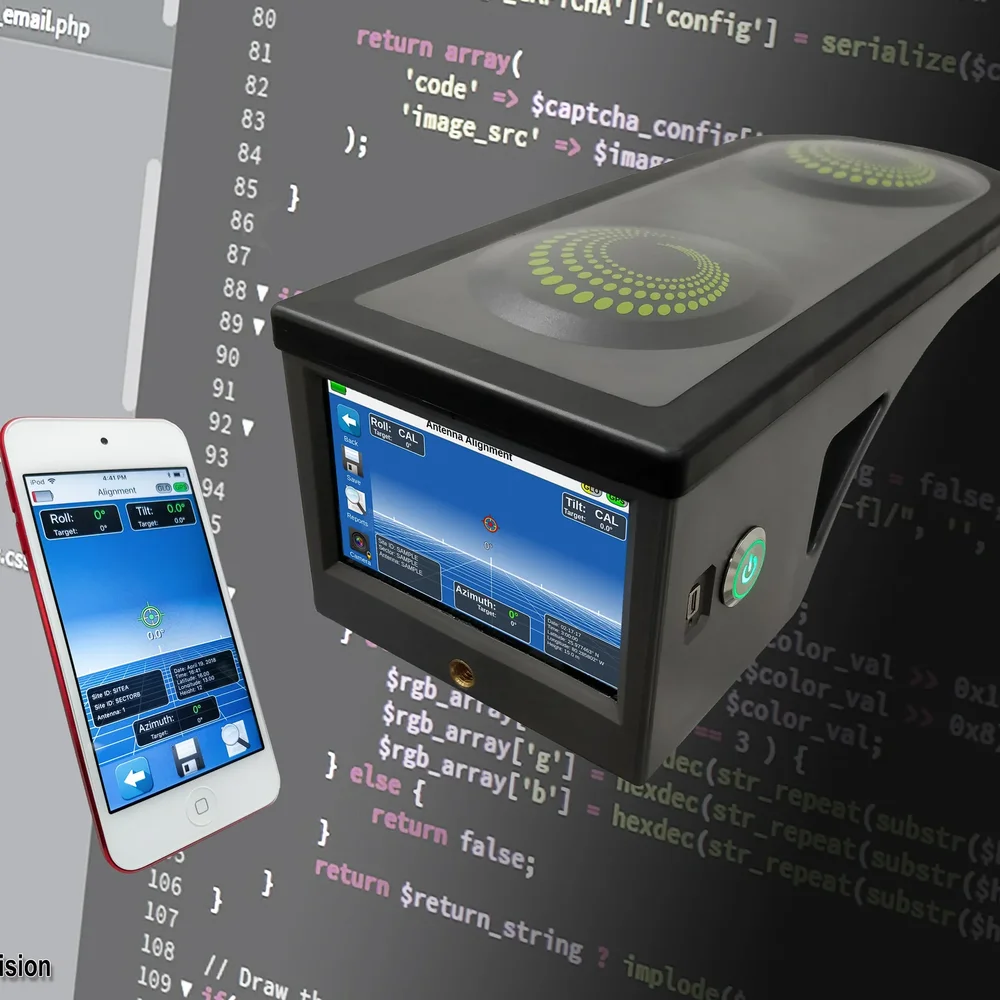
The Viavi RF Vision antenna alignment tool beside a phone running the RF Vision Remote App, which PDE developed for iOS and Android
Device and Software Together

Software Built With the Device

The app, the backend, and the test software all depend on how the device behaves, and the people who designed the device know that best. The protocol between app and firmware is defined once, by people who can change either side, and production test software is written by people who know what each circuit should measure.

  • One protocol: the messages between device, app, and cloud are designed by people who can change any side, so a limitation in one isn't worked around in the other two.
  • Real hardware early: the app and backend are tested against prototype devices as soon as they come up.
  • Test software that knows the board: limits for each rail, radio, and sensor come from the people who designed those circuits.

PDE built the embedded Linux system and augmented reality interface on the 3Z RF Vision, a handheld antenna alignment tool now part of the Viavi Solutions portfolio. When the device is mounted where a technician can't see its screen, such as high on a cell tower, the RF Vision Remote App, also built by PDE, lets them view and control it from an iOS or Android phone. PDE also developed the VELscope Vx screening device itself, as well as its camera app.

Device Data in the Cloud

Cloud Backends and Dashboards

Start with the smallest backend that proves the product, and build it so it can grow without a rewrite. That means an endpoint the device reports to, such as an MQTT broker or HTTP API, a database for data and commands, and a web interface or API for users. PDE builds these on AWS, Azure, and Google Cloud, and scales them as the device count climbs from a pilot toward production.

A device that can be reached from anywhere needs at least three pieces of software:

  • An endpoint: somewhere the device reports to, such as an MQTT broker or an HTTP API.
  • A backend: services and a database that store the device's data and the commands going to it.
  • An interface: a web app for people to use, an API for third parties, or both.
  1. Prove the concept. A basic web interface and a database chosen for speed of prototyping get data flowing from devices in the field early.
  2. Load it with real devices. Edge cases appear as the count grows, such as every device reporting at once after a power-up.
  3. Scale what actually broke. Fix the measured bottleneck instead of building for millions of devices before the product needs it.
  4. Hand off a system the client can run. Source code and documentation stay with the client.

Where device security, multi-tenant data isolation, and fleet management are core requirements, that work is covered under Connected Products & IoT.

A dual-monitor software development setup with a keyboard in the foreground
Testing at Volume

Production Test Software

Use ATE (automated test equipment) software that runs each unit through a set of automated checks on the line. PDE writes it alongside the test fixtures and production test procedures that are part of PDE’s manufacturing handoff.

Production test software usually has to:

  • Load the unit: program firmware and any per-unit identity, such as a serial number.
  • Exercise the hardware: drive the fixture, measure power rails, radios, sensors, and inputs, and compare each result to a limit.
  • Give the operator a clear answer: pass or fail, and on a failure, enough detail to direct rework.
  • Keep a record: log results by unit so production problems can be traced back to a batch, a station, or a step.

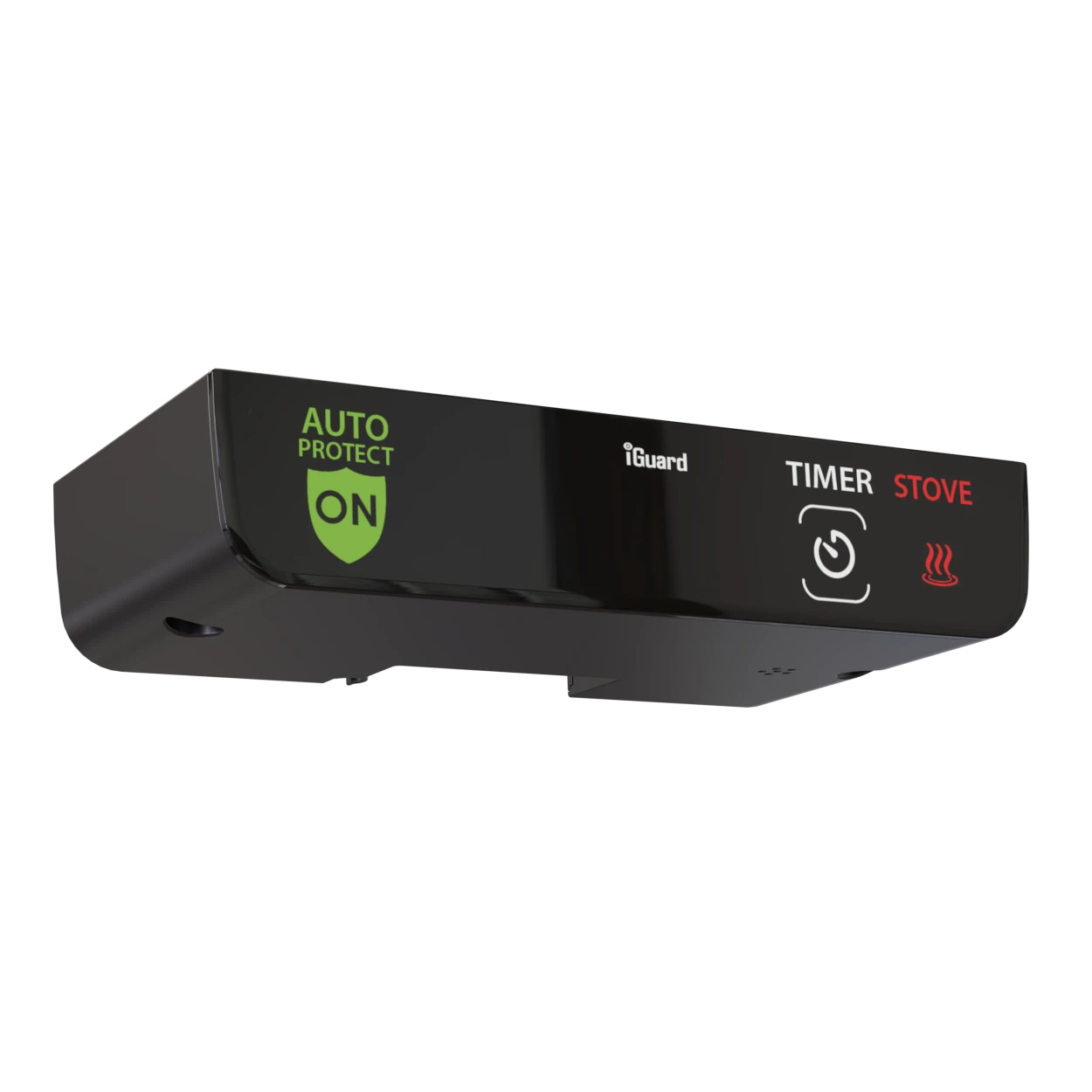
Test fixtures and production test procedures are part of how PDE hands a product to a contract manufacturer in Full Service Product Development. On the iGuard stove safety device, PDE's scope included manufacturing readiness: test procedures and assembly documentation. Because PDE also builds Windows, Linux, and macOS applications, the station software can run on whatever computer sits at the line.

Our Standards

Software Your Team Can Run

PDE writes software to documented in-house standards, versions every release, and hands over the source code, documentation, and history with no licensing restrictions. Your own team, or another developer, can pick it up without starting from a black box.

Documented Standards

Backend services follow a written in-house standard for project layout, package design, and error handling, so the code is laid out the way the next developer expects.

Versioned Releases

Every release carries a semantic version number that says whether it is a fix, a new feature, or a breaking change, with its history kept under version control.

Yours to Keep

Source code, documentation, and deployment details transfer to you, with no licensing restrictions and no ongoing fees to access them.

From the Portfolio

Software We've Shipped

RF Vision Remote App
Telecommunications

RF Vision Remote App

When you’re working at the top of a cellphone tower hundreds of feet in the air, convenience matters. Sometimes your RF Vision isn’t where you are. The RF Vision Remote Control App allows Android and iOS users to remotely view and control their RF Vision from wherever they need to be.
View Case Study
VELScope Camera App
Medical

VELScope Camera App

The VELScope Camera App is a companion iOS application for the VELscope oral cancer screening system, enabling dental professionals to capture and document fluorescence images directly from an iPhone during patient examinations. By integrating smartphone photography into the VELscope clinical workflow, the app simplifies record-keeping and helps practices build a longitudinal visual history of oral tissue health over time.
View Case Study

‟PDE is a vital part of my product innovation team. Their inventiveness, grasp of the issues and expertise contributed significantly to the realization of the VX product, from the drawing board to the production floor”

— Peter Whitehead, LED Dental
FAQ

More Questions We Get Asked

Does PDE build software without also building the hardware?

Yes. Many PDE software engagements are software-only: a companion mobile app for a device that already exists, a cloud backend for a product already in production, or a web dashboard for existing hardware. PDE also builds software alongside hardware and firmware in the same team when a project needs all three.

What cloud platforms, frameworks, and languages does PDE use?

PDE builds cloud backends on AWS, Azure, and Google Cloud, with Docker for deployment; mobile apps for iOS and Android; web applications in Angular and React; and backend services in Go, C#, Node.js, and Python. REST API design and database design are part of each project.

What is the difference between firmware and software?

Firmware runs on the device itself and talks directly to the hardware, often bare-metal or on an RTOS. Software runs on an operating system such as iOS, Android, Windows, macOS, or Linux: the phone app, the cloud backend, the web dashboard, and the APIs between them. The line has blurred as microcontrollers have become capable of networking and even GUI work that once needed a small Linux computer. PDE’s Firmware & Embedded page covers the device side.

Does PDE build desktop applications for Windows, Linux, and macOS?

Yes. Most PDE software clients want a mobile or web application, but PDE also builds Windows, Linux, and macOS software, from drivers and command-line utilities to full GUI applications. Production test software and configuration tools for hardware often fall into this category.

Does PDE build MCP servers?

Yes. An MCP (Model Context Protocol) server lets AI assistants such as Claude read from and act on another system, like a product’s cloud backend, a device API, or an internal database. PDE builds and uses MCP servers in its own work, and can build one that gives AI tools controlled access to your product or data.

Who owns the source code PDE writes?

The client does. Source code, design files, and documentation produced by PDE belong to the client, with no licensing restrictions and no ongoing fees to access them. Documentation at each phase gate is intended to let the client’s own team understand and modify the software independently.

How does PDE manage a software project?

PDE runs engagements as time-and-materials with clearly scoped phases, each with defined deliverables and a transparent budget. Software and firmware work uses an Agile approach within that phase-gated structure, and PDE developers can work directly with a client’s in-house team.

How does software development relate to PDE's other services?

Software is the layer above the device: the app, the cloud, and the APIs. Firmware & Embedded is the code on the device, and Electronics Design is the circuit board it runs on. For products where security, device-to-cloud architecture, and fleet management need to be designed across hardware, firmware, and cloud from the first review, see Connected Products & IoT. For a whole product built by one team, see Full Service Product Development.